
Activate automatic opening on iOS
How to turn on automatic opening on your iPhone, with a 30-day free trial.
Last updated 20 October 2026 · Checked for app 4.0.3
Before you begin
- The garage must have the automatic opening service activated.
- Update the Parqio app to the latest version.
Step by step
Open Automatic opening
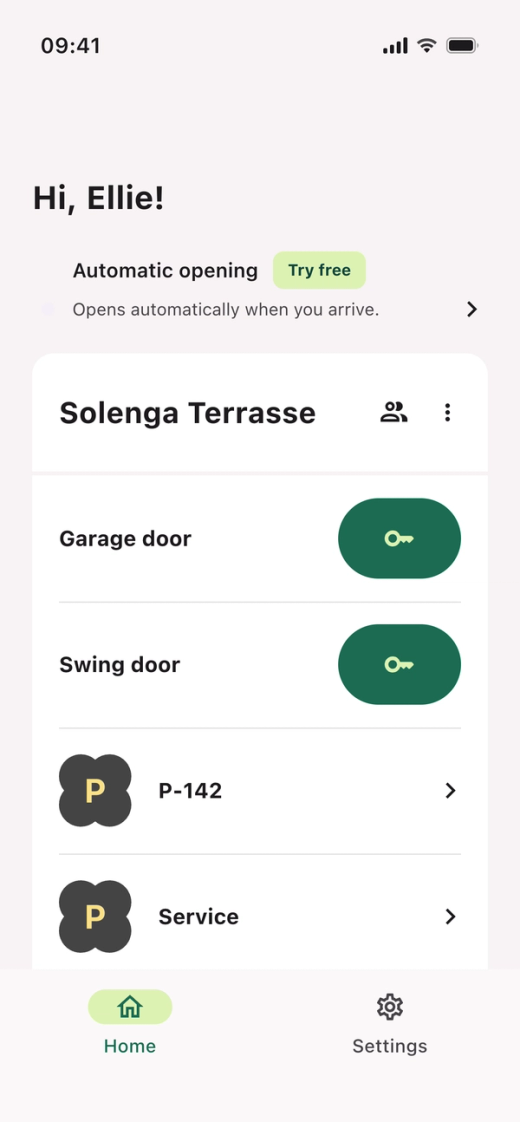
Tap “Automatic opening” at the top of the home screen, or go to Settings → Automatic opening.
Activate the free trial
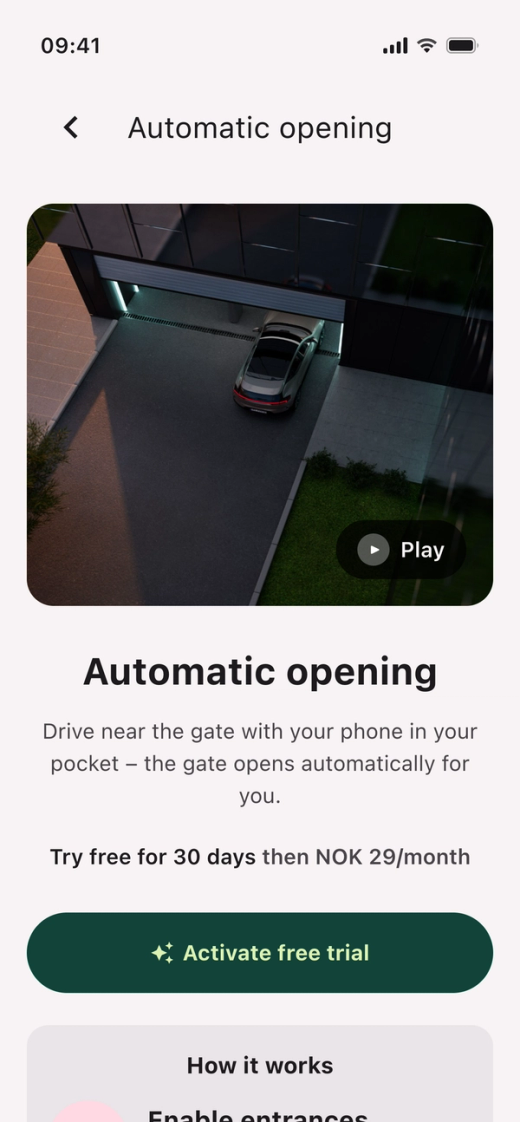
Tap “Activate free trial”. The trial lasts 30 days, and you don’t need a credit card.
Give access to your location
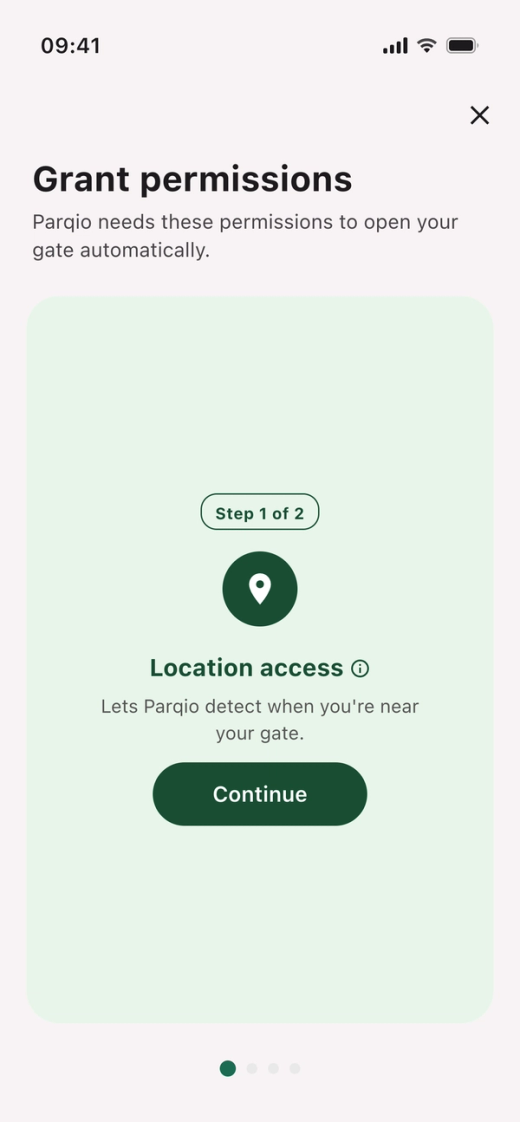
- Tap “Continue”.
- When your iPhone asks, choose “Allow While Using App”.
- If the map says “Precise: Off”, tap it so it says “Precise: On”.
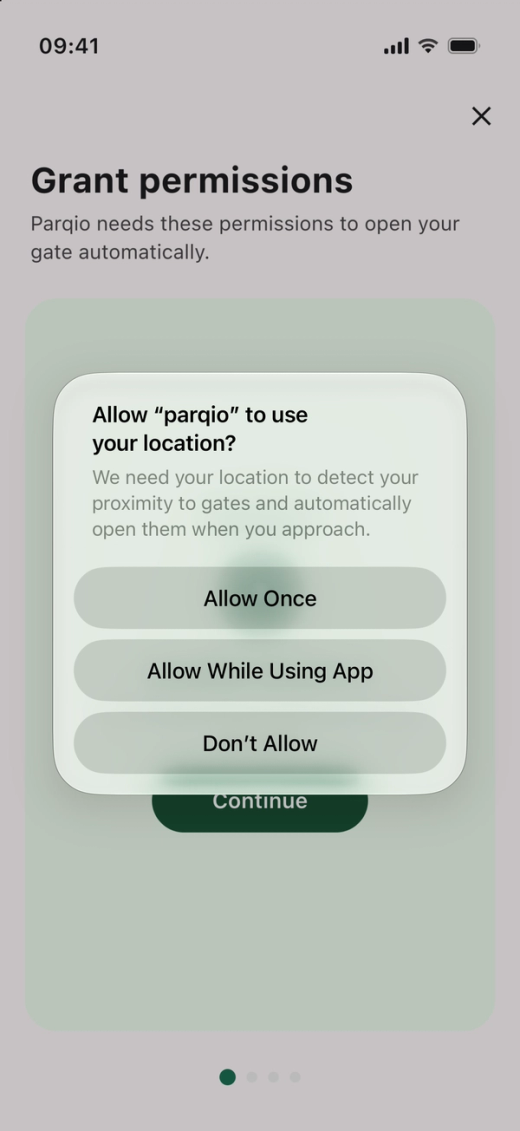
Allow location all the time
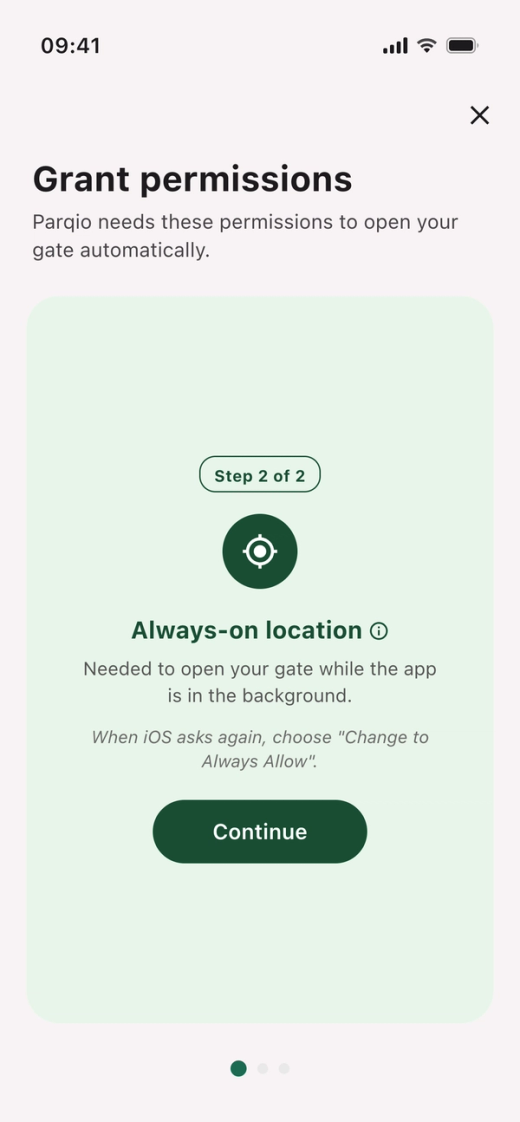
- Tap “Continue”.
- When your iPhone asks again, choose to let Parqio always use your location. Automatic opening needs this to work.
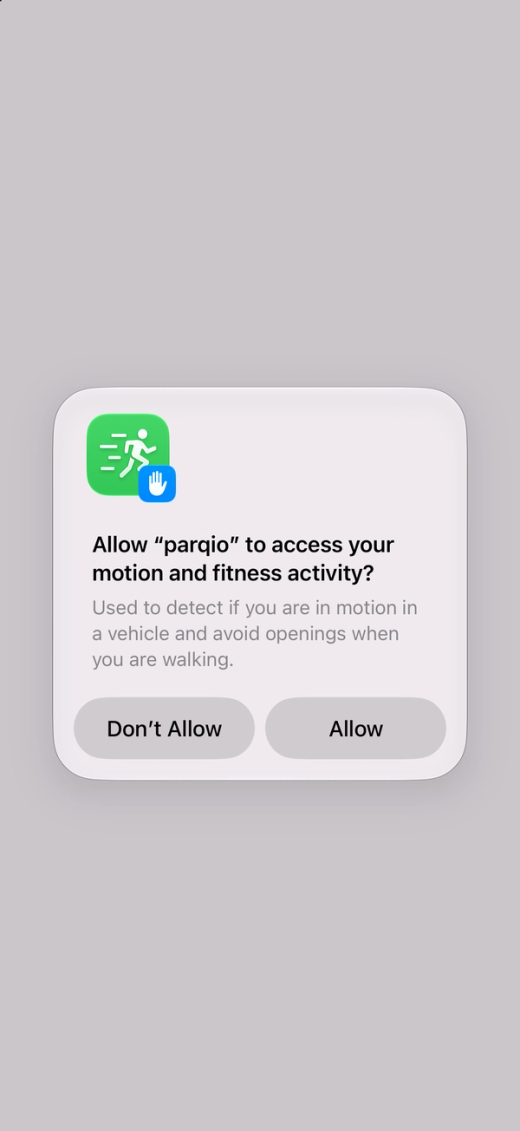
Give access to motion
The app uses motion to tell driving from walking.
- Tap “Continue” on the “Motion & Fitness” card.
- When your iPhone asks, tap “Allow”.
Choose whether you want notifications
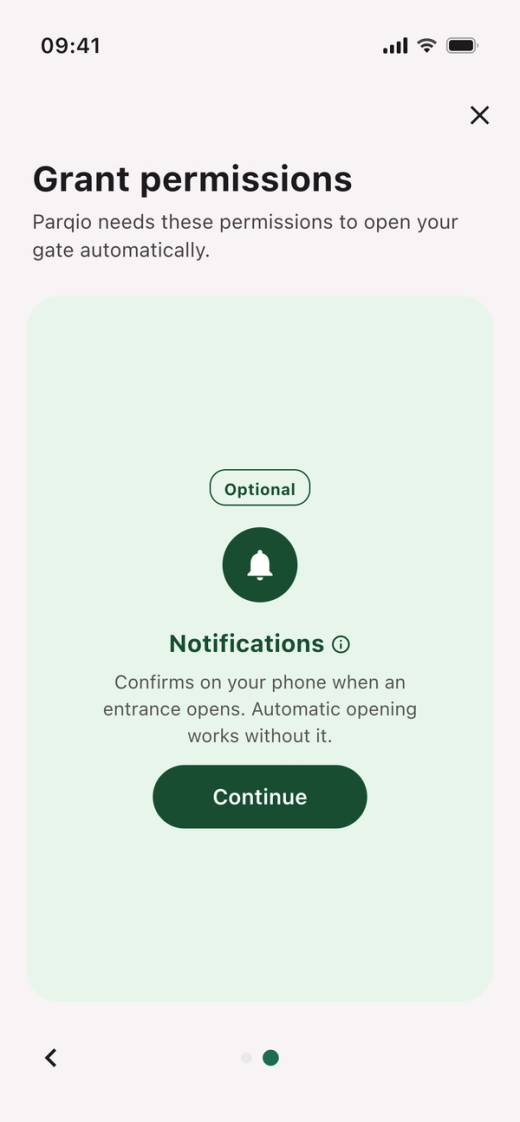
The last card, “Notifications”, is optional. Notifications confirm on your phone when a gate opens, and automatic opening works without them.
- Tap “Continue”.
- When your iPhone asks, tap “Allow” or “Don’t Allow”.
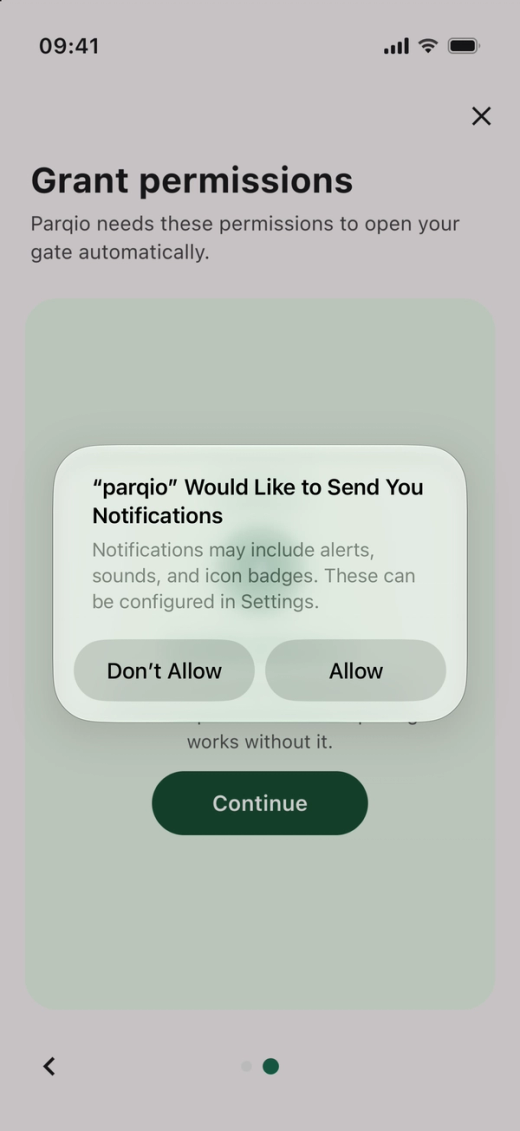
Check the entrances
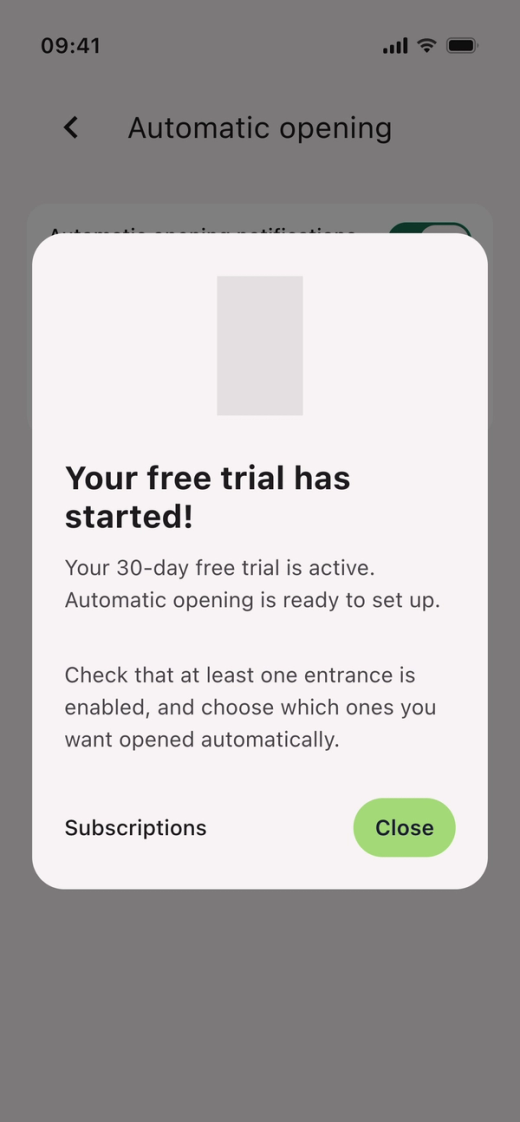
When you’re done, it says “Your free trial has started!”. All entrances that can open automatically are already on.
- Tap “Close”.
- Tap “Entrances”.
- Turn off the entrances you don’t want to use.
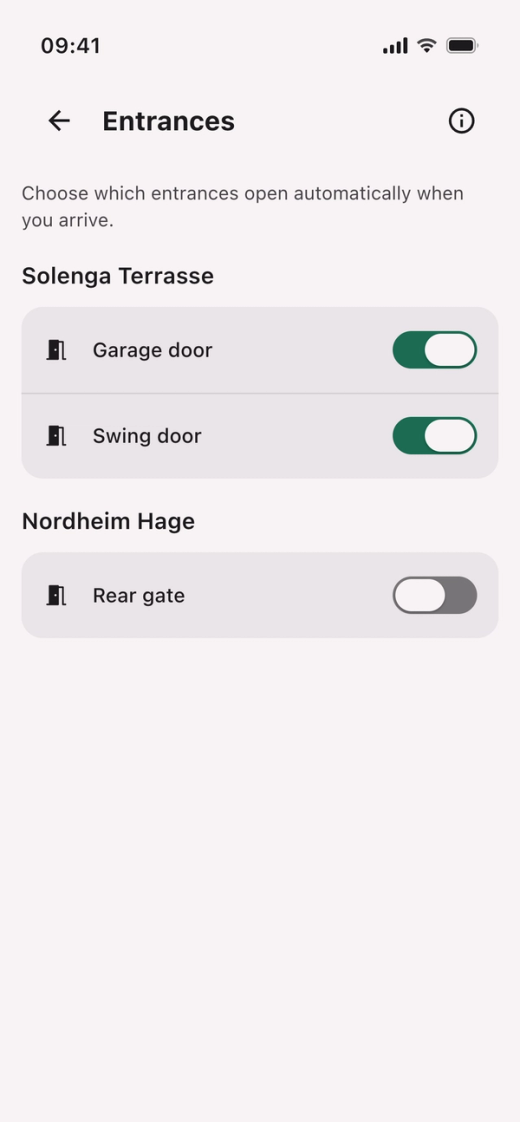
Automatic opening is now on. The gate opens when you drive towards it, but not when you walk.
Price after the trial
In Norway, automatic opening costs 39 kr a month or 348 kr a year per user after the trial. If your housing company covers the service (fleet agreement), you pay nothing.
Did you find what you were looking for?
Didn’t find what you were looking for?Contact customer support