
Add a car to your profile
Prerequisites
• Parqio app version 3.0 or later (this article shows app version 3.2)
How you do it – short summary
- Open the main menu of the Parqio app.
- Go to My cars in the main menu.
- Press Add car and enter the car's number plate.
Step by step
Open the main menu of the Parqio app
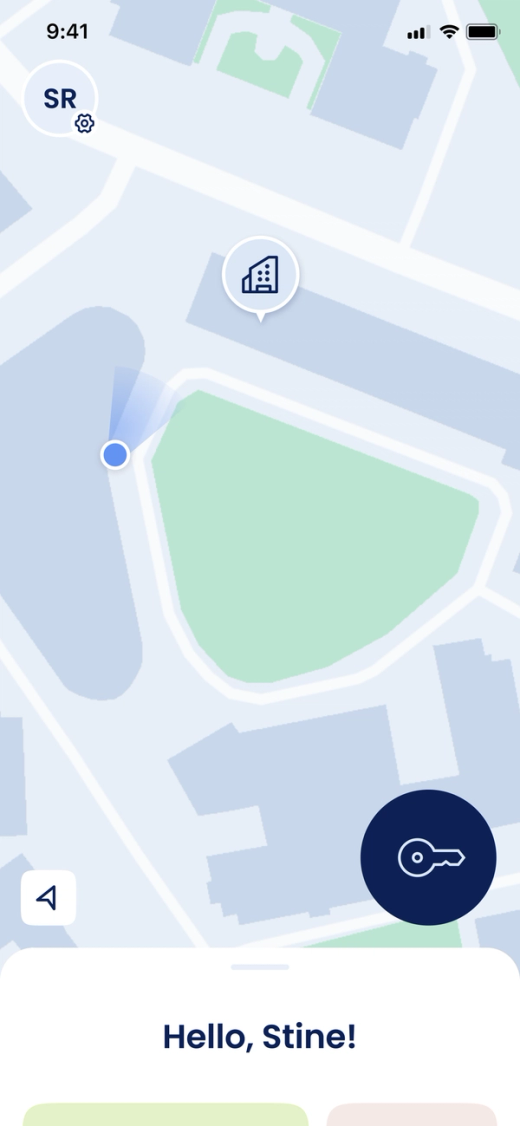
- Make sure you are logged in with the Parqio app.
- Press the small circle in the top left corner to open the main menu.
Add a car to your profile
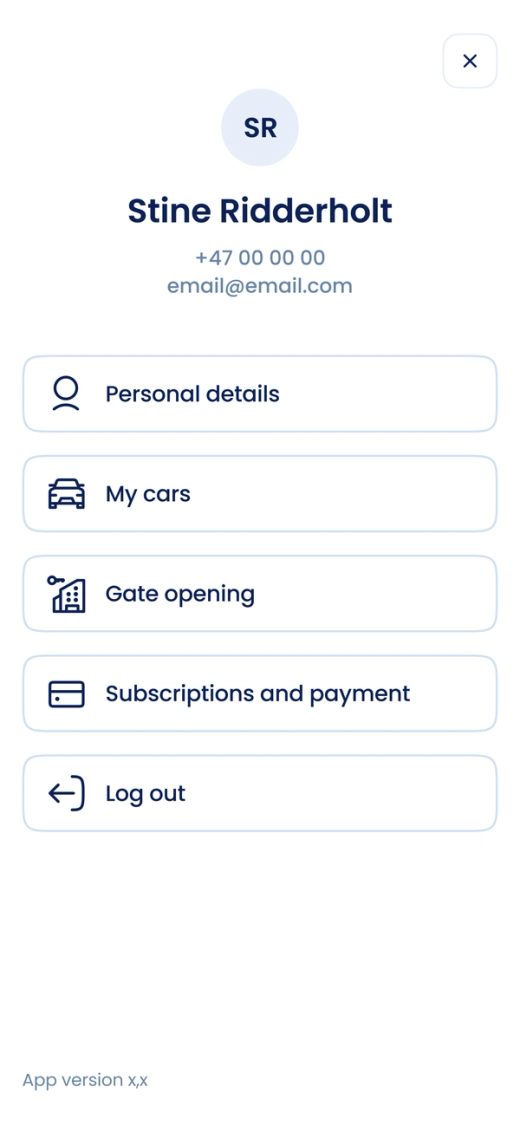
- Press My cars.
- Press Add car.
- Enter the car's number plate.
- Press Save.
- Repeat steps 2 to 4 to add more cars.
Tip: You can give your cars nicknames to distinguish them more easily. Press one of the cars you've already added, then press Add nickname.
Did you find what you were looking for?
Didn’t find what you were looking for?Contact customer support