
Add users / share permanent access to the garage
How to give people such as household members or tenants permanent access to the garage.
Last updated 22 October 2026 · Checked for app 4.0.3
Before you begin
- Your housing company must allow residents to share access to the garage.
- Your own access must have no end date.
Open “Add user”
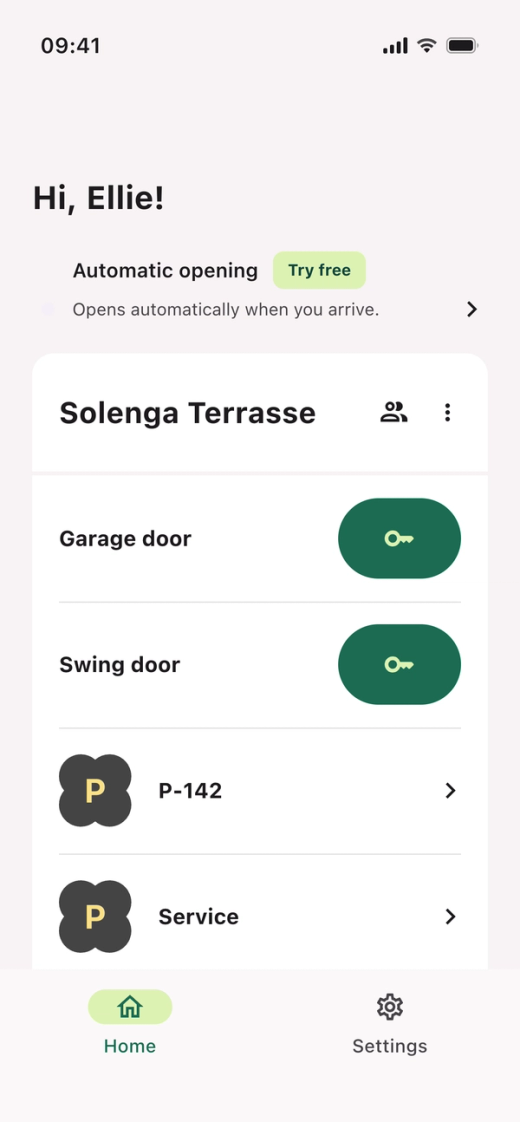
- Open the Parqio app.
- Tap the share button at the top right of the location card.
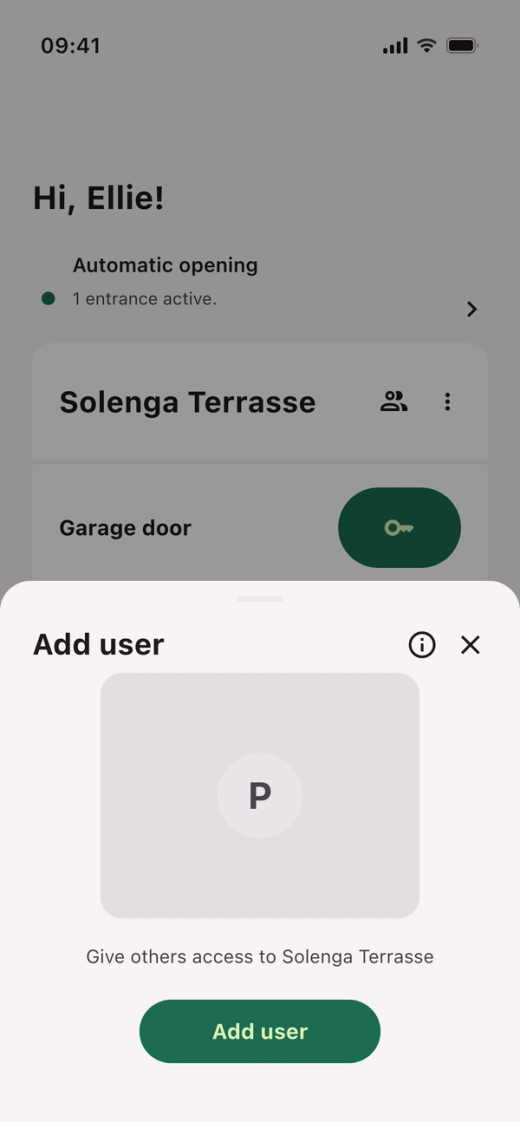
- Tap “Add user”. If you’ve shared access before, the button is called “+ Share access”.
Fill in the user details
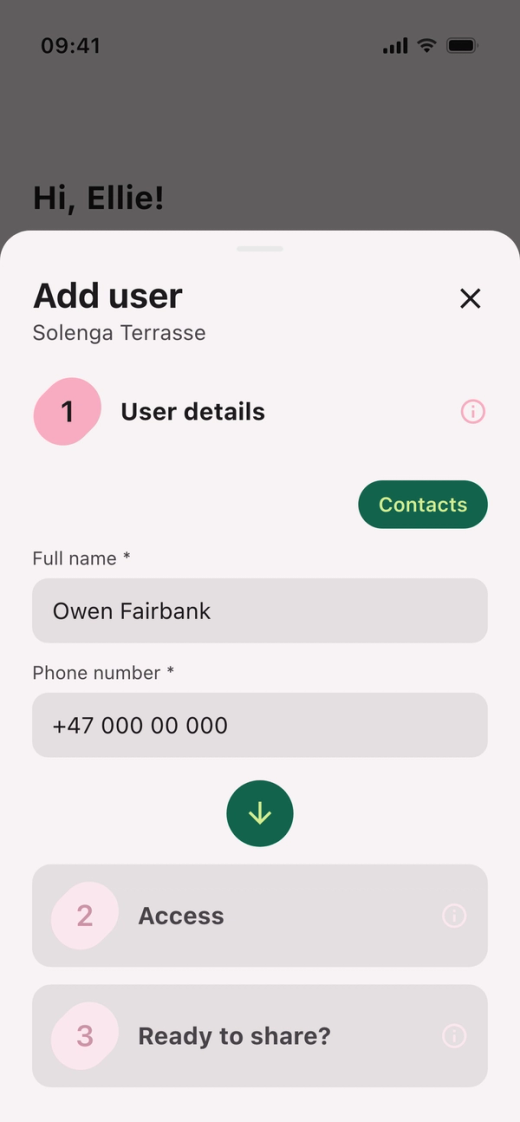
- Enter the full name and phone number, or tap “Contacts”.
- Tap the round arrow to continue.
Choose access and duration
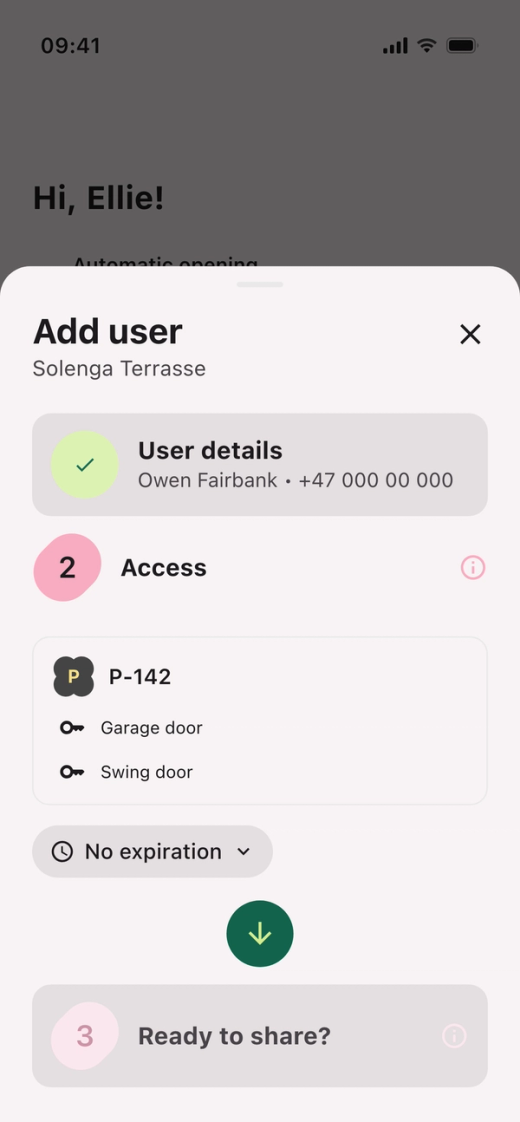
- Choose the space and which gates the user should have access to.
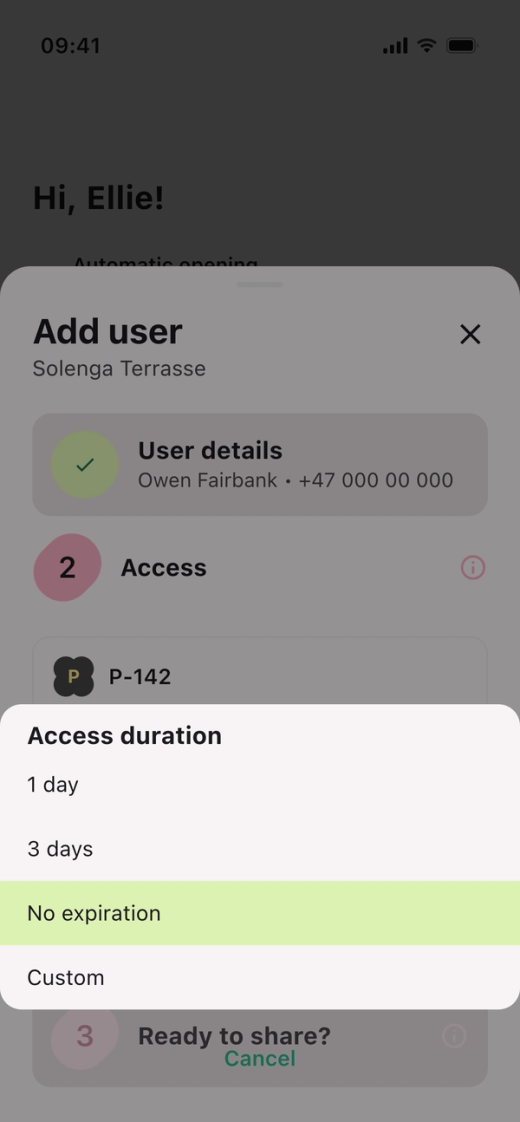
- Tap the duration and choose “No expiration”.
- Tap the round arrow to continue.
NOTE: Some housing companies don’t allow residents to share access with no end date. In that case, set an end date, and then contact the board to have the access made permanent.
Share access
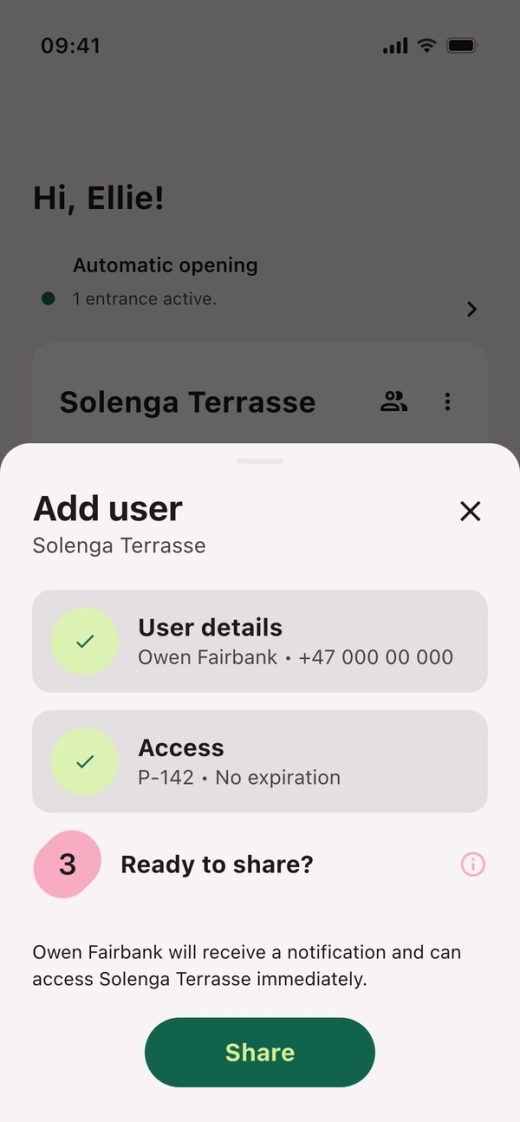
- Check the details.
- Tap “Share”.
- The person is added as a permanent user and gets an invitation by text message.
Don’t see the “Add user” button?
Either your housing company doesn’t allow residents to share access to the garage, or your own access has an end date. Contact the board to have a household member added.
Did you find what you were looking for?
Didn’t find what you were looking for?Contact customer support