
Download and log in to the Parqio app
Download the Parqio app from the App Store or Google Play, and log in with your mobile number and the code you get by text message.
Last updated 22 October 2026 · Checked for app 4.0.3
Before you begin
- Before you can open gates, an administrator must add you as a user of the garage. You’ll get an invitation by text message once the administrator has added you.
- If you haven’t been added as a user of the garage yet, you can still download the Parqio app, log in and complete your registration.
Here is the app for iPhone in the App Store:
Here is the app for Android phones on Google Play:
Log in with your mobile number
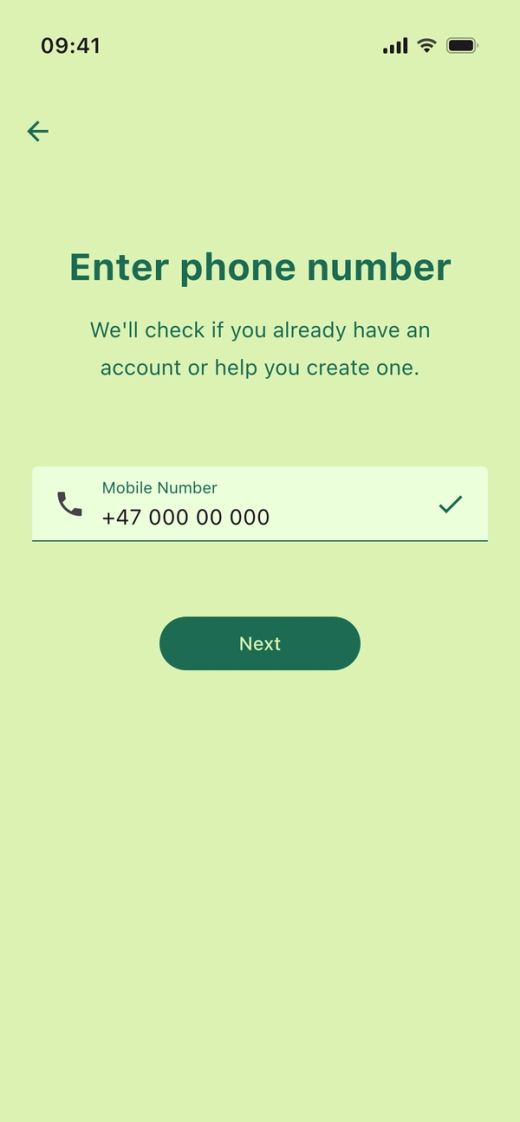
- Open the app and tap “Let's go!”.
- Enter your mobile number with your country code and tap “Next”.
Enter the code
You’ll get a text message with a one-time code.
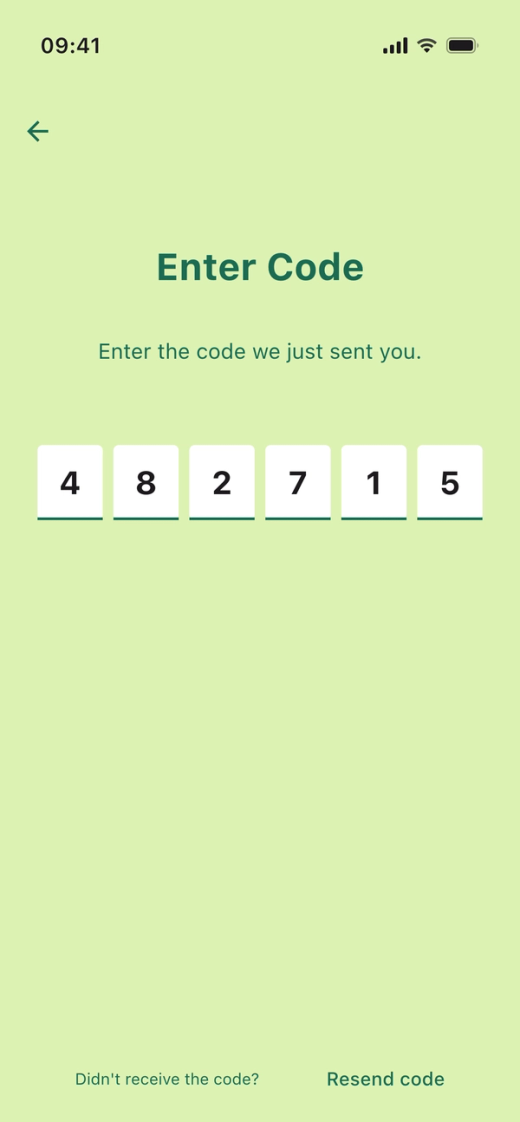
Enter the code.
Complete your registration
The first time you log in, you need to accept the terms and enter your name and email address.
You stay logged in to the app until you sign out.
Haven’t received an invitation by text message, or can’t find your garage in the app?
Then you probably haven’t been added as a user of the garage. Contact the board of your housing company or the owner of your parking space.
Did you find what you were looking for?
Didn’t find what you were looking for?Contact customer support