
How to change the appearance of the Parqio app
Here’s how to change the appearance of the Parqio app.
Last updated 22 October 2026 · Checked for app 4.0.3
Open Appearance
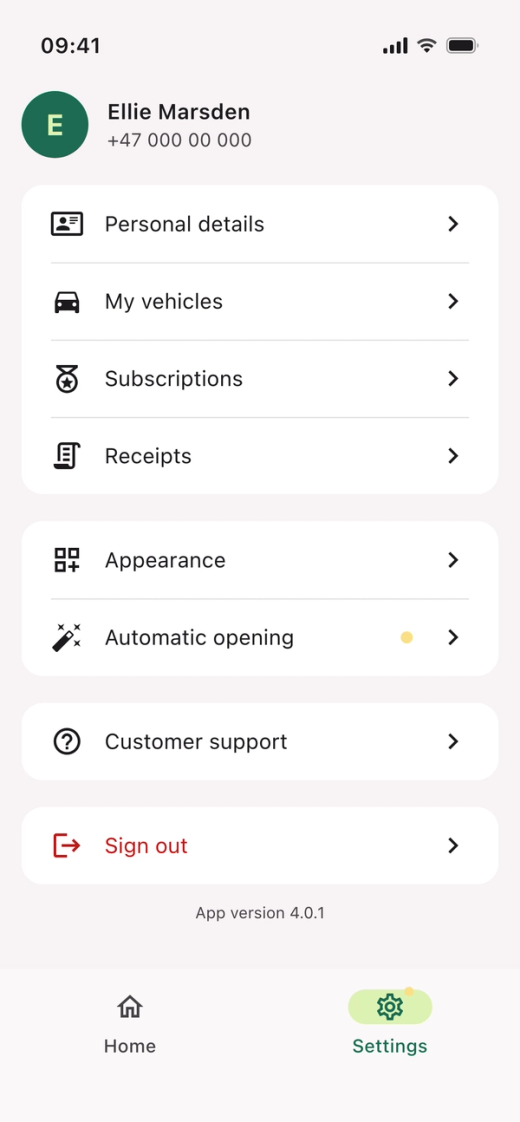
- Open the Parqio app.
- Tap “Settings” at the bottom right.
- Tap “Appearance”.
Adjust the appearance
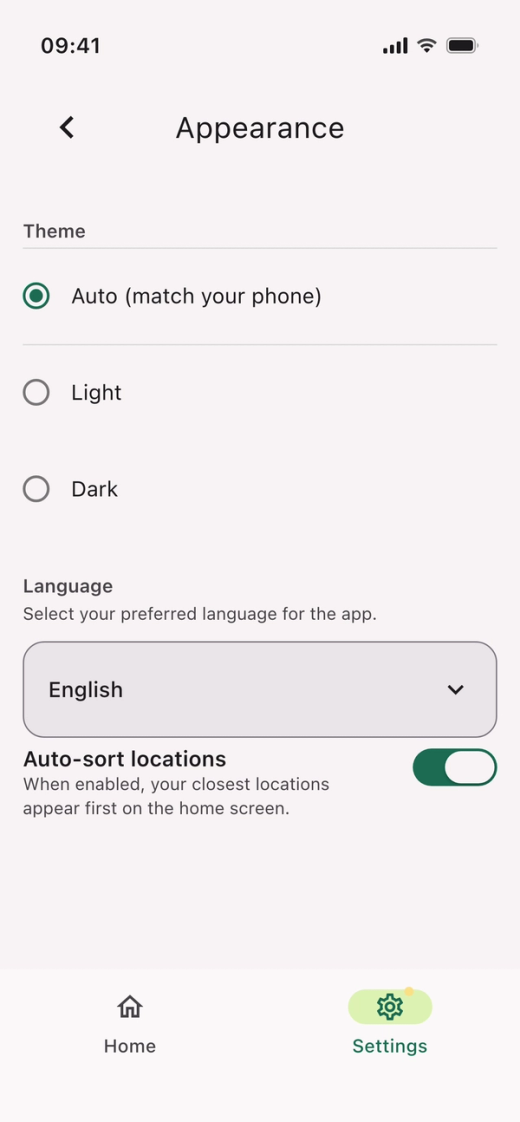
- Theme: choose “Auto (match your phone)”, “Light” or “Dark”.
- Language: choose the language you want for the app.
- “Auto-sort locations”: turn it on to show your closest locations first on the home screen.
Did you find what you were looking for?
Didn’t find what you were looking for?Contact customer support