
Activate opening with license plate recognition
You can turn on license plate recognition yourself in the Parqio app and try it for free first.
Last updated 22 October 2026 · Checked for app 4.0.3
Before you begin
- The garage must have a license plate recognition camera.
Remember that you can also use camera-free automatic opening instead of license plate recognition.
Open Settings → License plate recognition
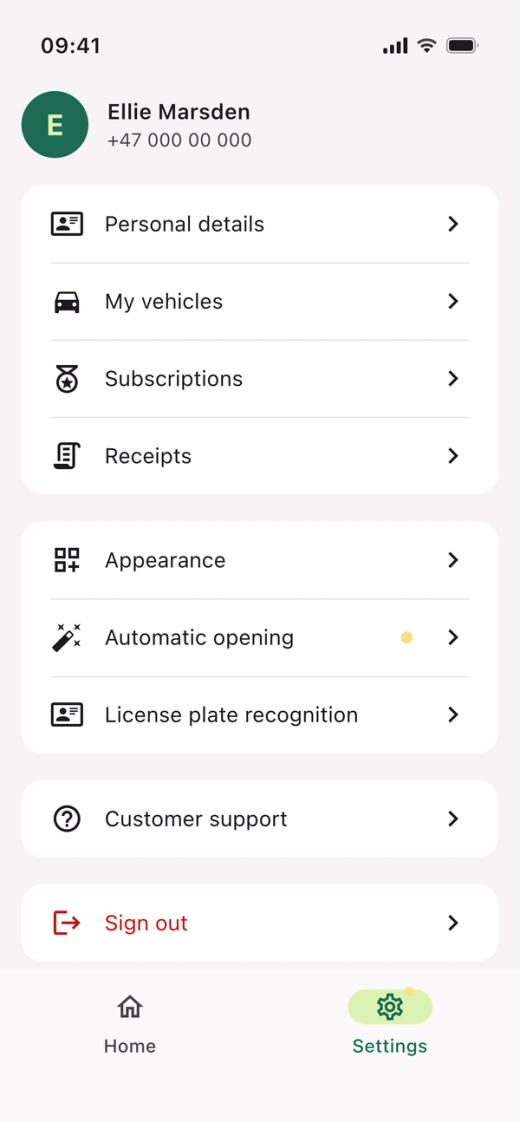
- Open the Parqio app.
- Tap “Settings” at the bottom right.
- Tap “License plate recognition” in the menu.
Add a vehicle
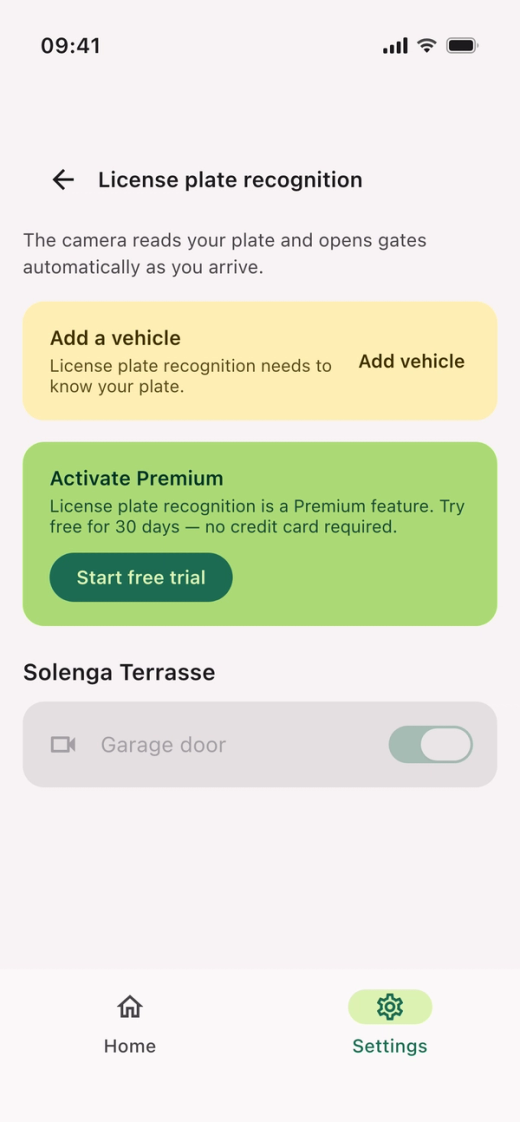
- Tap “Add vehicle” and enter the registration number. Skip this step if you’ve already added a vehicle.
Tap Start free trial
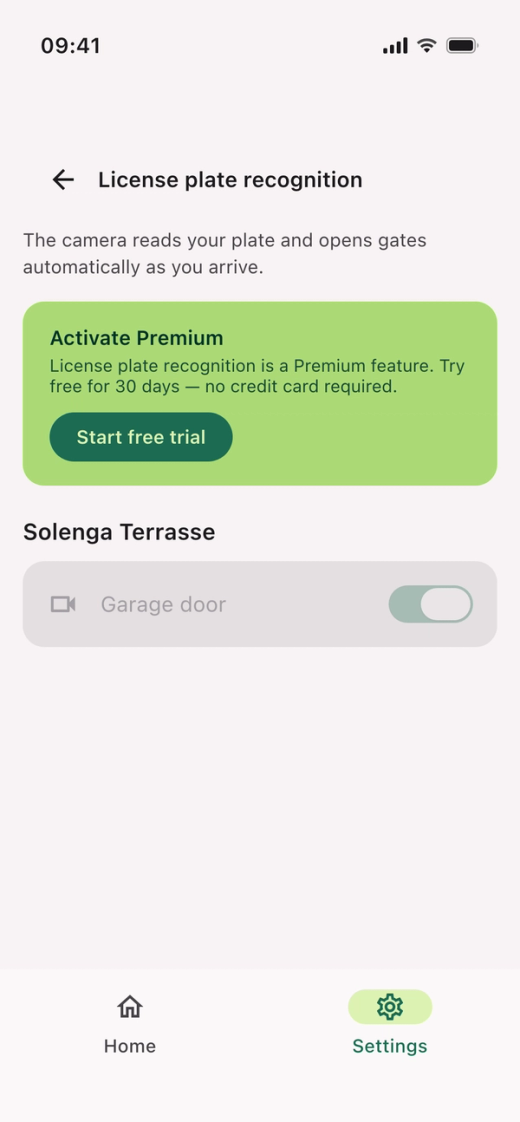
- Tap “Start free trial”.
- The trial doesn’t require a credit card. You can subscribe later to keep the feature.
Turn on the gates
- Turn on the switch for the gate or gates you want to open with license plate recognition.
- If you have access to more than one gate, you choose which ones use license plate recognition.
Keep license plate recognition after the trial
Tap “Subscribe now” on the “License plate recognition” screen to keep the feature when the trial ends. The subscription costs NOK 39 per month or NOK 348 per year.
Is the gate not opening with license plate recognition?
- Check that you have added a vehicle to your profile.
- If you have recently changed your payment card, license plate recognition may be temporarily disabled until a new payment has gone through. In the meantime, you can open the gate with the app or call the gate number, +47 23 50 68 88.
Don’t see “License plate recognition” in Settings?
This is usually because no license plate recognition camera is available in your garage. We recommend turning on camera-free automatic opening, which uses your phone’s location and speed instead.
Did you find what you were looking for?
Didn’t find what you were looking for?Contact customer support