
What do I do if automatic opening doesn't work on Android?
Is automatic opening not working on your Android phone? Here's what to check.
Last updated 20 October 2026 · Checked for app 4.0.3
Before you begin
- Automatic opening must be available for your garage.
- First follow the guide “Activate automatic opening on Android”.
- Update the Parqio app to the latest version.
Step by step
Check that automatic opening is turned on
Open the Parqio app and go to Settings → Automatic opening → Entrances. Check that the switch next to the gate you want to use is on.
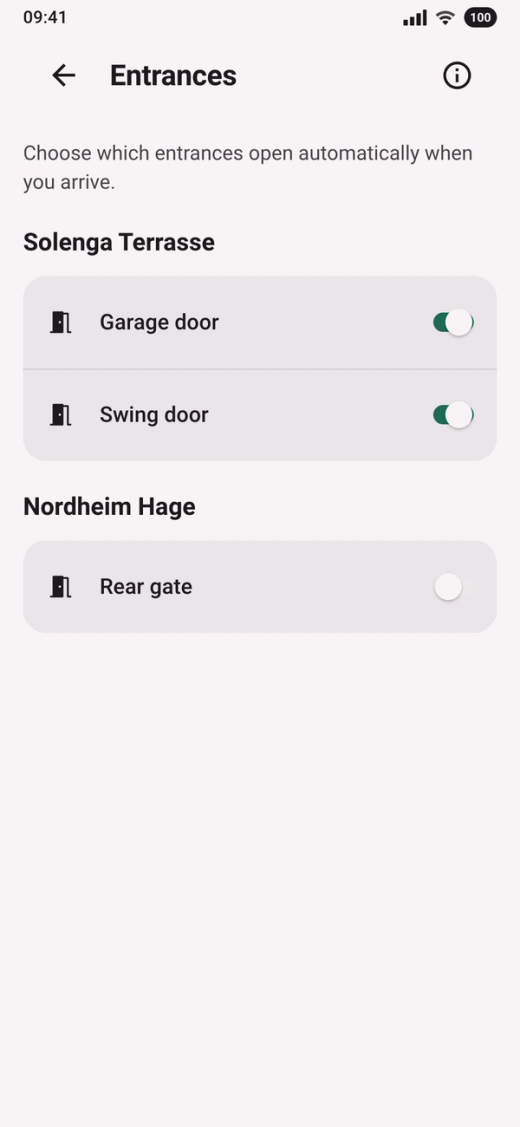
Check the settings for Parqio on your phone
Open Settings on your phone and find Parqio.
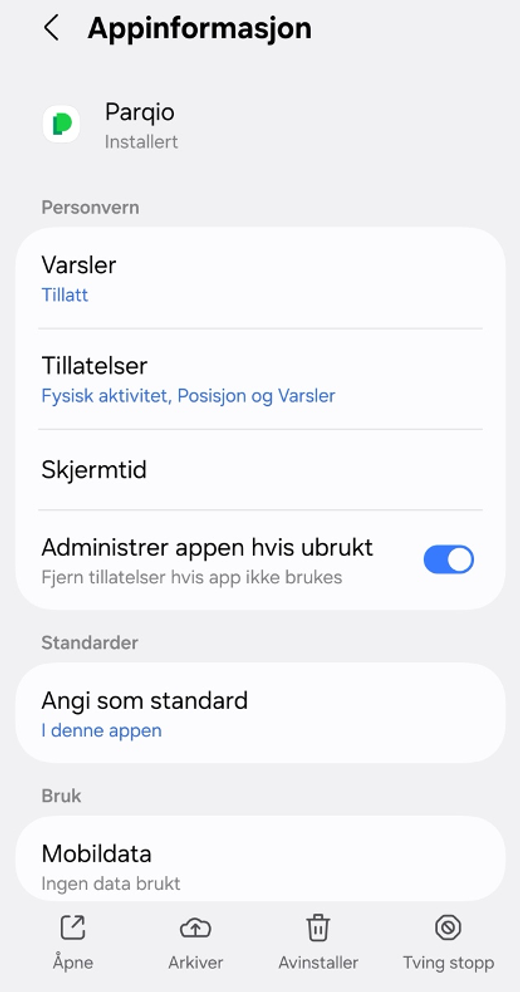
- Tap “Permissions” and check that:
- “Location” is set to “Allow all the time”, and precise location is on.
- “Physical activity” is allowed.
- “Notifications” are allowed.
- Go back and turn off “Manage app if unused”. That way, Android won't remove the permissions if you haven't used the app for a while.
- Scroll down, tap “Battery” and choose “Unrestricted”.
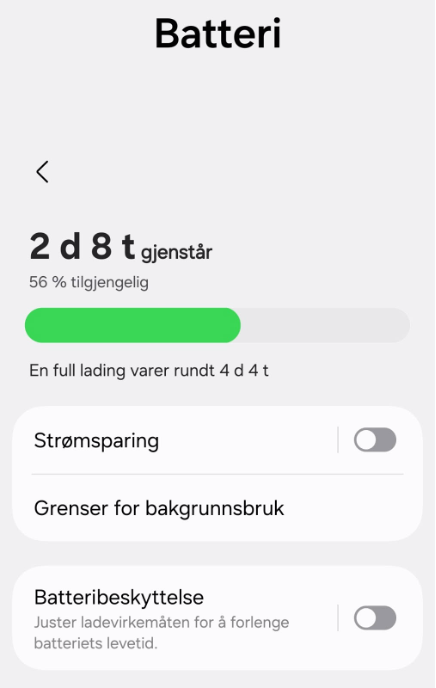
Turn off power saving on your phone
Power saving applies to the whole phone, not just Parqio. So go all the way back to Settings and tap “Battery” there. If power saving or Battery Saver is on, turn it off.
If automatic opening still doesn't work, try uninstalling and reinstalling the Parqio app. Remember to set up automatic opening again afterwards.
Did you find what you were looking for?
Didn’t find what you were looking for?Contact customer support