
Open with the app
How to use the Parqio app to open the gate.
Last updated 22 October 2026 · Checked for app 4.0.3
Open the Parqio app and go to the home screen
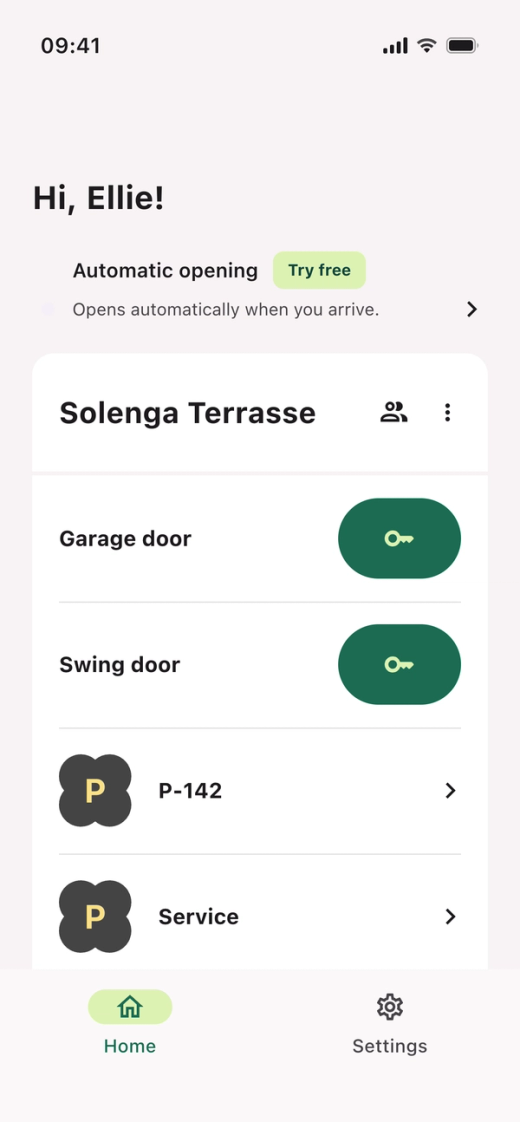
- Open the Parqio app.
Tap the gate or door you want to open
- Tap the button next to the gate or door you want to open.
- If you have access to more than one garage, scroll down to see all the gates.
Did you find what you were looking for?
Didn’t find what you were looking for?Contact customer support