
Activate automatic opening on Android phones with a fleet agreement
How to turn on automatic opening on your Android phone when your housing company has a fleet agreement. In that case, the service is included.
Last updated 21 October 2026 · Checked for app 4.0.3
Before you begin
- The garage must have the automatic opening service activated.
- Your housing company must have signed a fleet agreement for the service.
- Update the Parqio app to the latest version.
Step by step
Open Automatic opening
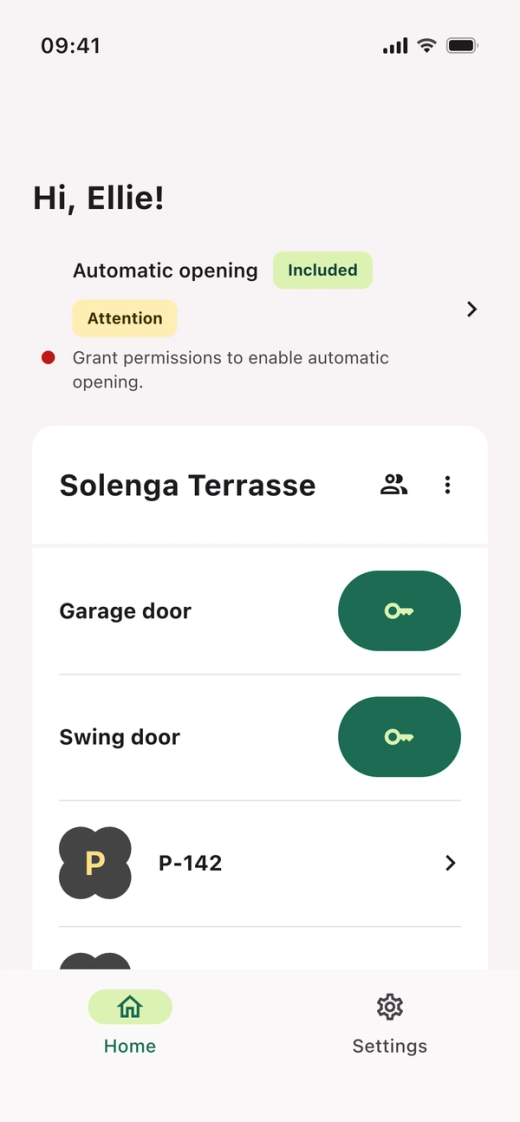
- Open the Parqio app.
- Tap “Automatic opening” at the top of the home screen.
The label “Included” means automatic opening is covered by the fleet agreement, so you pay nothing.
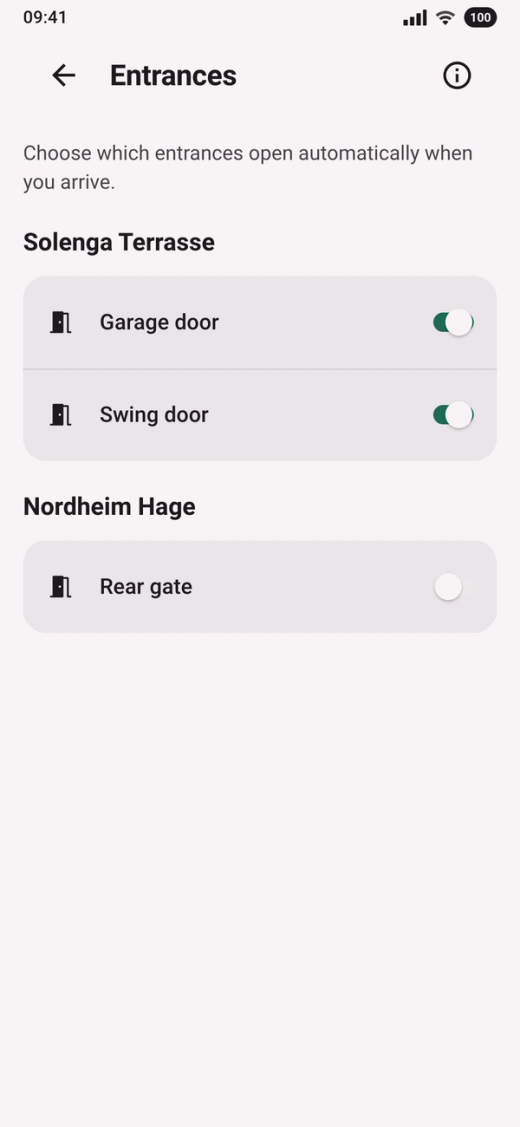
Choose the entrances
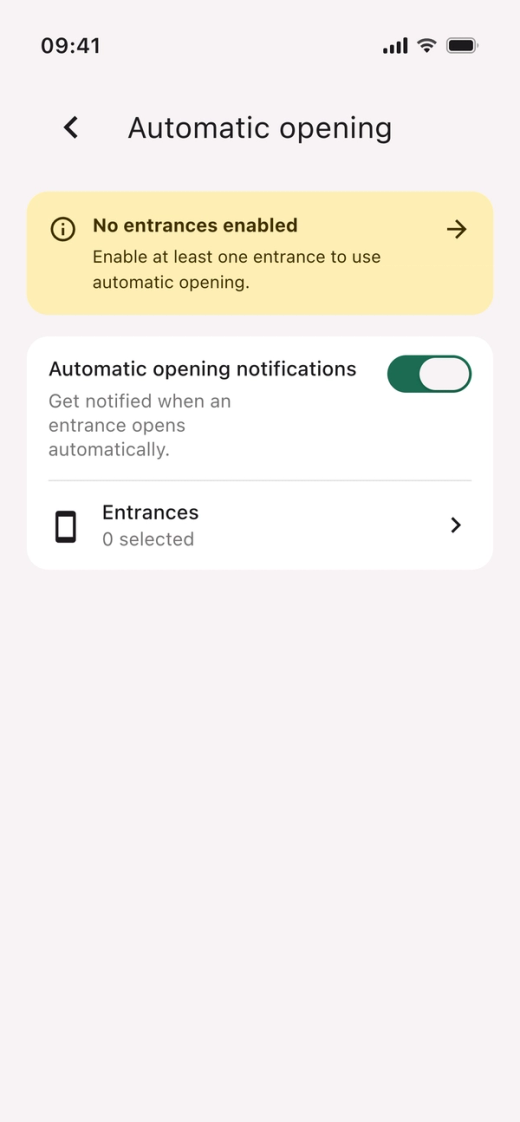
- Tap “No entrances enabled”.
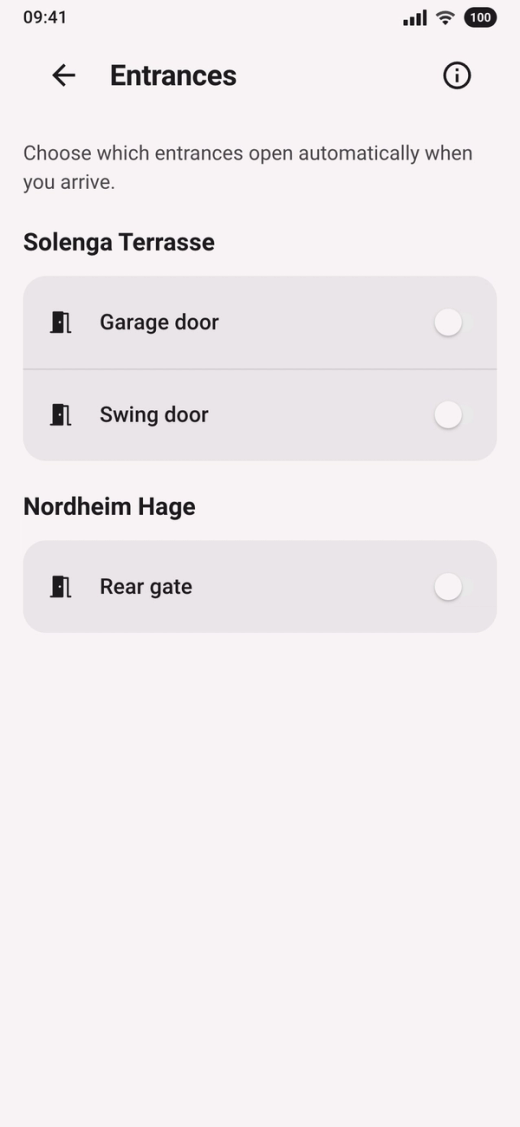
- Turn on the switch next to the gate you want to use.
Go to the permissions
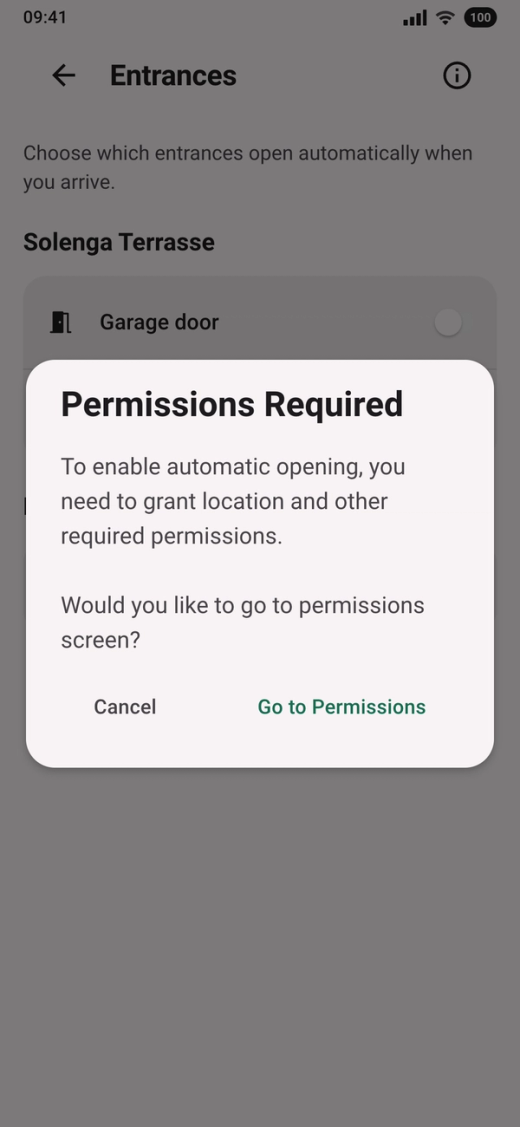
The app shows “Permissions Required”. Tap “Go to Permissions”.
Give access to your location
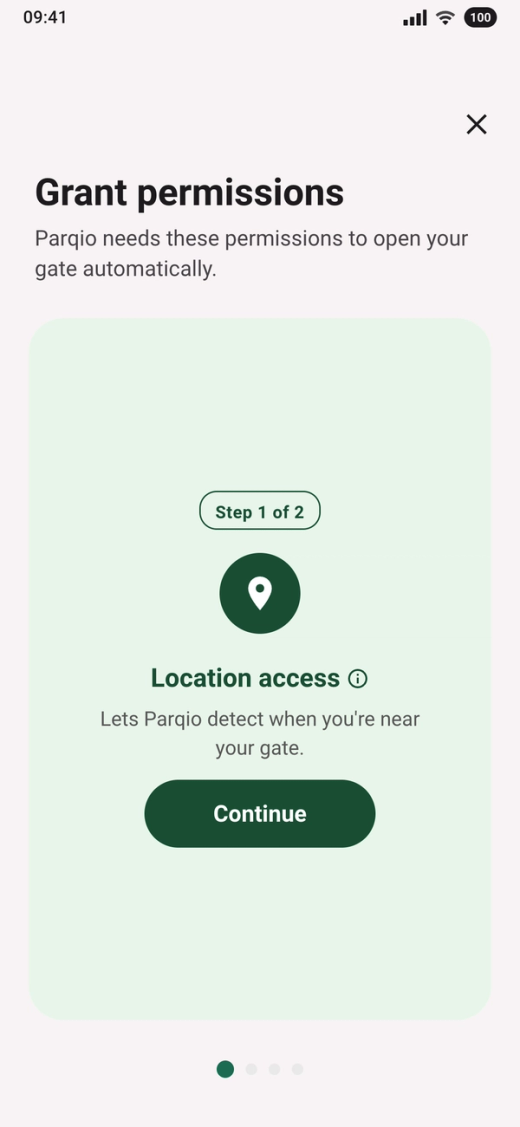
- Tap “Continue”.
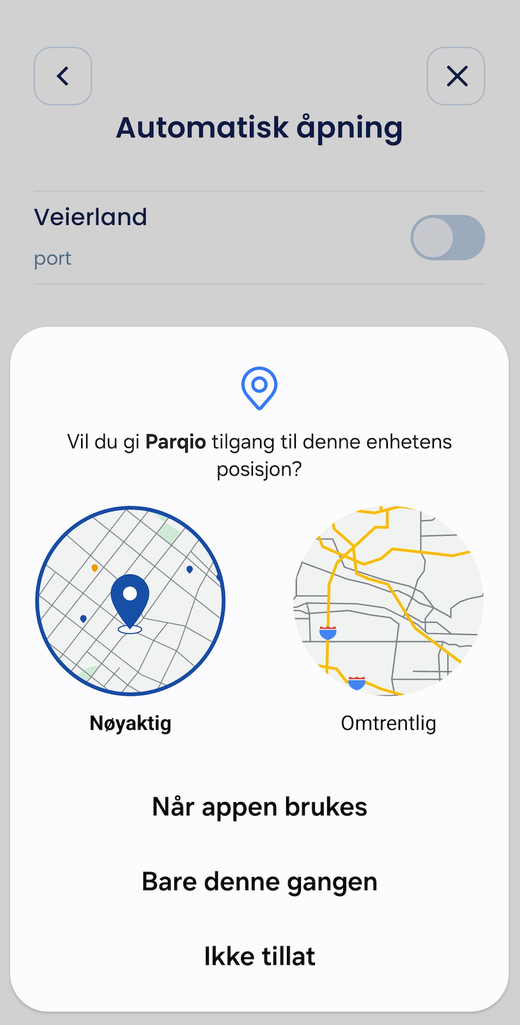
- When your phone asks, choose “Precise” and “While using the app”.
Allow location all the time
Automatic opening needs your location even when the app isn’t open.
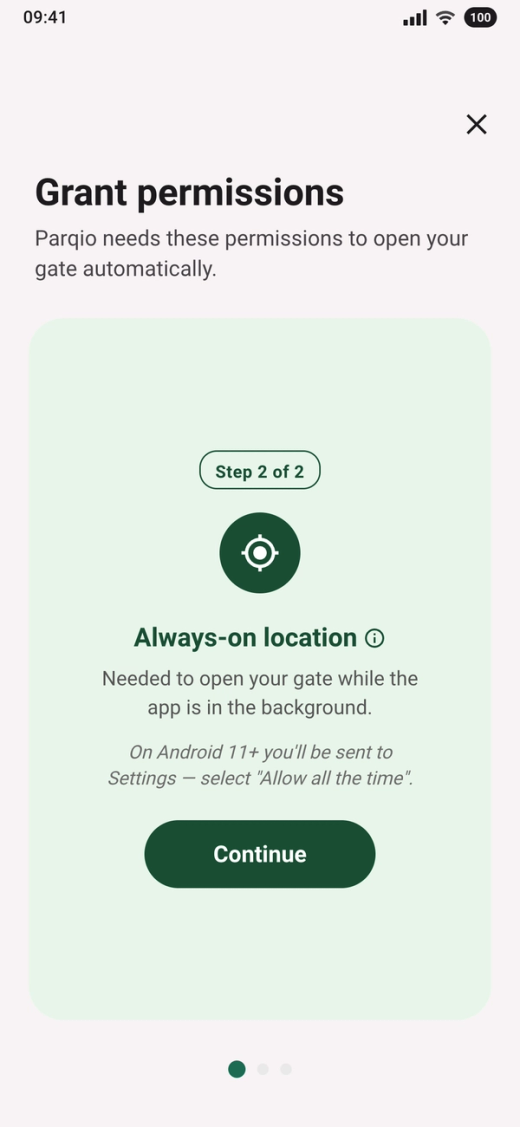
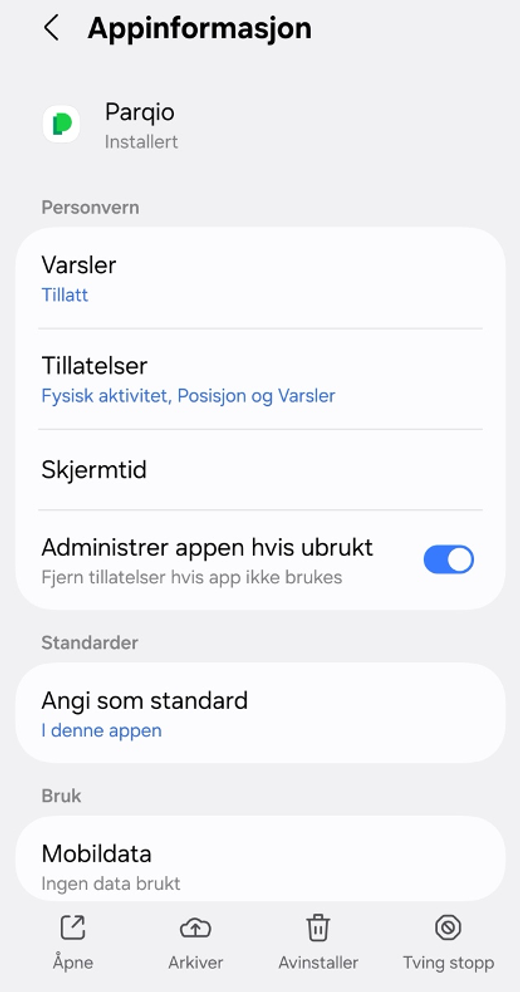
- Tap “Continue”. Your phone then opens the settings for Parqio.
- Tap “Permissions” and then “Location”.
- Choose “Allow all the time” and go back to the Parqio app.
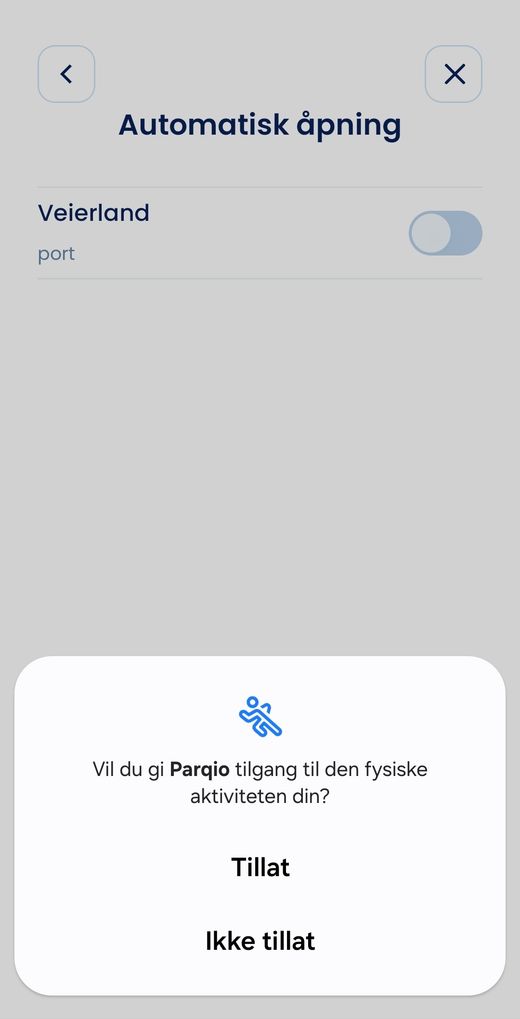
Give access to motion
The app uses motion to tell driving from walking.
- Tap “Continue” on the “Motion & Fitness” card.
- When your phone asks, tap “Allow”.
Allow notifications
On Android, automatic opening needs notifications. Your phone shows a notification while automatic opening is running, and confirms when a gate opens.
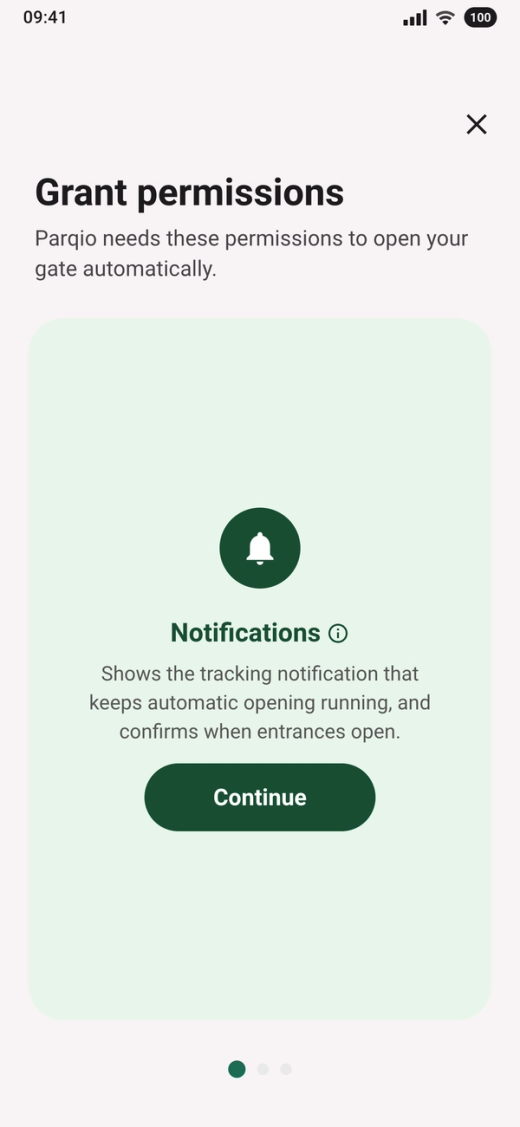
- Tap “Continue” on the “Notifications” card.
- When your phone asks, tap “Allow”.
Give Parqio unrestricted battery use
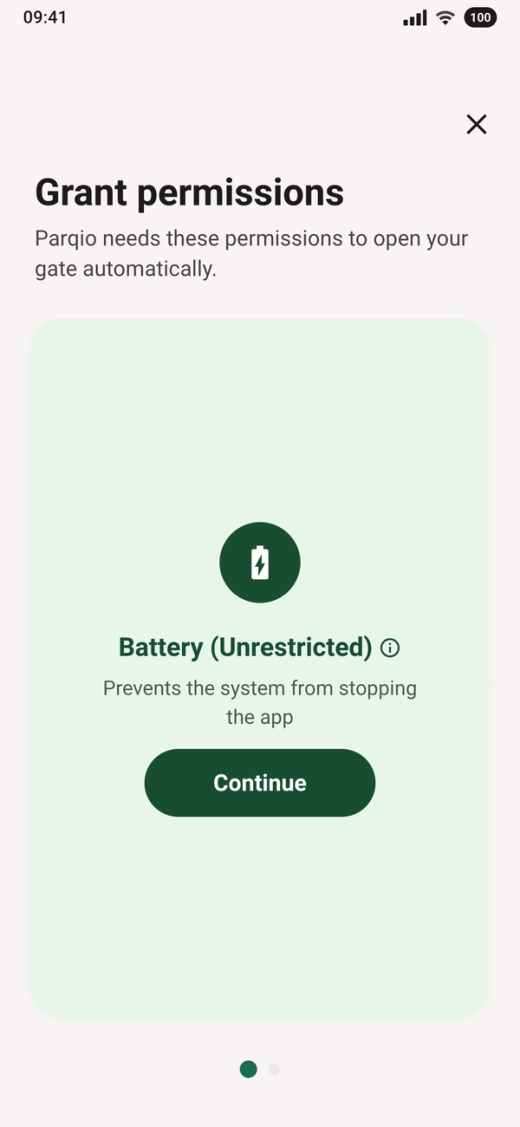
- Tap “Continue”.
- When your phone asks whether the app may always run in the background, tap “Allow”.
Stop the permissions from being removed
Android can remove permissions from apps you haven’t used for a while, and then automatic opening stops.
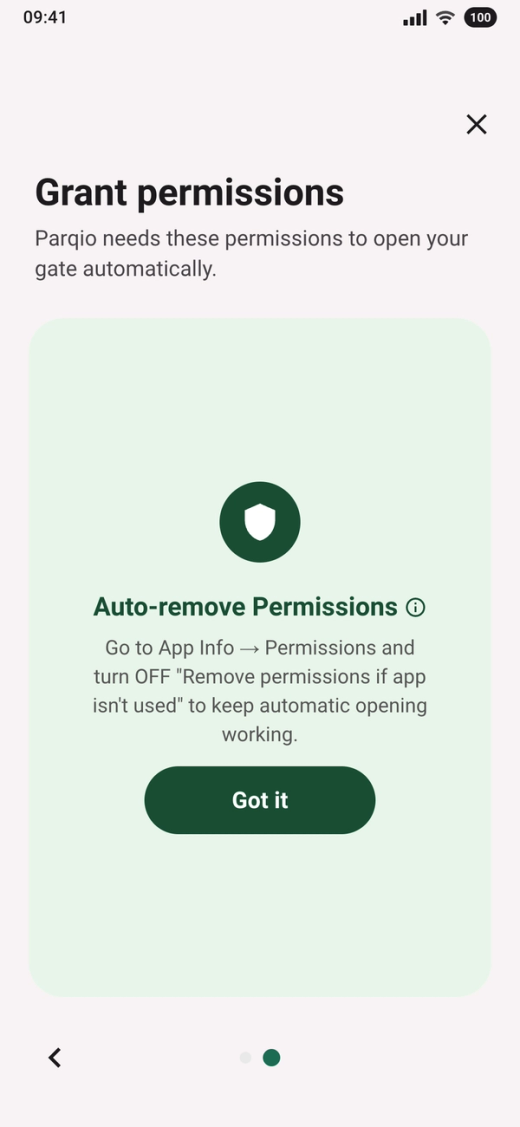
- Tap “Got it”.
- Open Settings on your phone, tap the magnifying glass at the top and type “Parqio”. Tap Parqio under “Apps”.
- Turn off “Manage app if unused” and go back to the Parqio app.
Check the entrances
When you’re done, you’re back on Entrances. The switch next to the gate you chose is now on. If you want to use more gates, turn them on here.
Automatic opening is now on. The gate opens when you drive towards it, but not when you walk.
Did you find what you were looking for?
Didn’t find what you were looking for?Contact customer support